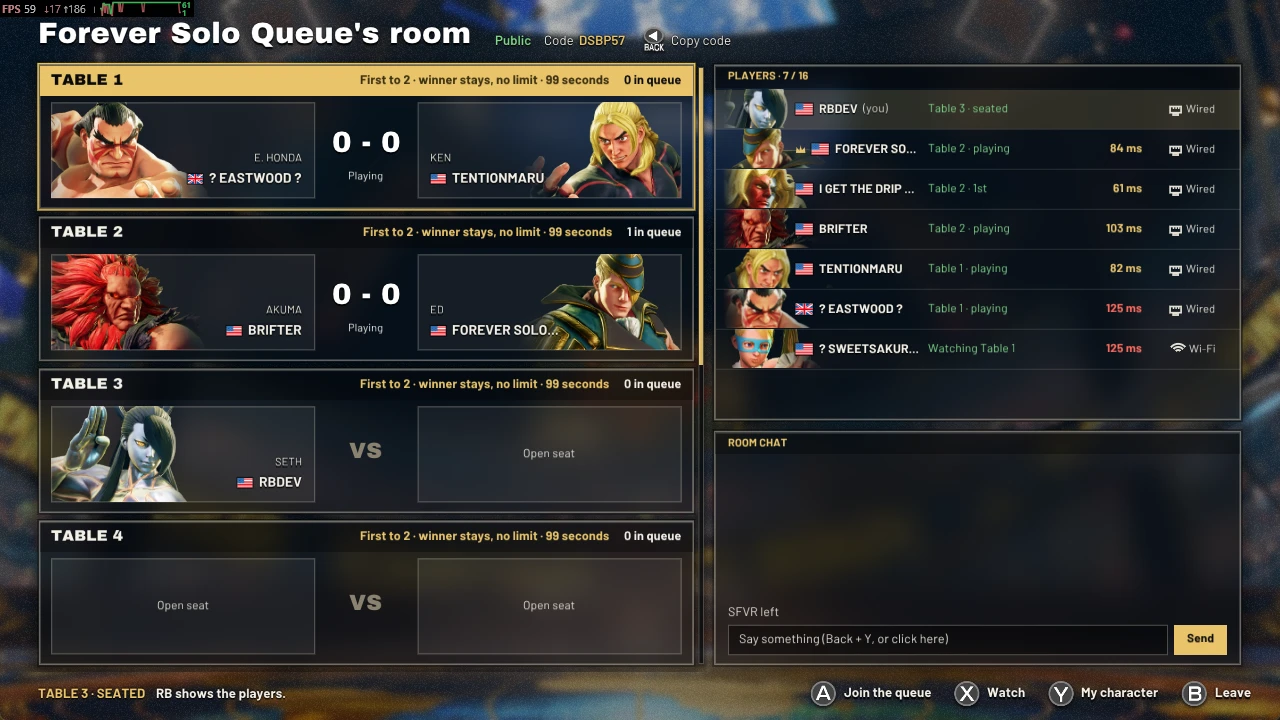
Public rooms
- Looking for public rooms…
Download and install
0.4.3 · 2026-11-13The installer finds Street Fighter V through Steam, downloads the latest version of Polarity and puts it in place, checking every file on the way.
Windows
Download the installerRun it and follow along. Windows may say it doesn't recognise the app: choose More info, then Run anyway.
Steam Deck and Linux
Download the installerOn the Deck, switch to Desktop Mode first. Open a terminal in the folder you saved it to and run these two lines:chmod +x polarity-installer-linux
./polarity-installer-linux
It adds the launch option the game needs, so it asks you to close Steam for a moment and opens it again when it's done.
Manual Installation
- Download the latest version and unzip it anywhere you like.
Download 0.4.3 - In Steam, right-click Street Fighter V and choose Manage, then Browse local files. Open the
StreetFighterV\folder.Binaries\ Win64 - Copy everything from the zip's
Win64folder into it. - On Steam Deck or LinuxOne more step: right-click the game, open Properties, and paste this into Launch options:
WINEDLLOVERRIDES="xinput1_3=n,b" %command%
That's it. Start the game from Steam and you'll land in the hub. When a new version comes out, the game offers it to you.
You and your opponent need to be on the same version to play each other.
The installer's source code is on GitHub: polarityproject/polarity-installer.
What's new in 0.4.3
Choose the stages Random can land on, in My character. Sounds no longer play twice after rollbacks, rollbacks cost about a quarter less, and stage transitions play in rematches and a table's later games.
FAQ
Is it free?
Yes, completely. You only need your own copy of Street Fighter V on Steam.
Does my opponent need it too?
Yes. Both of you need Polarity, on the same version. The game offers each new version as soon as it's out, so staying in step only takes a moment.
Can I still play Capcom's online modes?
Not while it's installed: the game skips Capcom's servers and goes straight to the main menu. Remove Polarity's files from the game folder and the game is back the way it shipped.
Which input delay should I pick?
You choose 0 to 3 frames before each match. Less delay feels snappier but rolls back more often; more delay smooths things out on a long-distance connection. Whatever you pick stays the same for the whole match.
Does it work on Steam Deck?
Yes. Every screen is made to be read on the Deck, and the pad drives everything. The Linux installer sets up the launch option it needs for you.
Troubleshooting
The hub doesn't show up when I start the game
Check that xinput1_3.dll and polarity.dll are in StreetFighterV\, right next to StreetFighterV.exe. On Steam Deck or Linux, check the launch option too. Running the installer again puts both right.
I can't find or join my friend's room
The room list only shows rooms on your version, so make sure you're both up to date. Private rooms aren't listed at all: ask for the room's code and use Join with a code.
A match desynced or the game crashed
Sorry about that. A report comes to us by itself the next time you start the game, so we can track it down. You can turn reports off in Settings.
Something else went wrong
Pack your logs in Settings and send us the zip on Discord, with a few words about what happened.